Scan paper to PDF
Point the camera at a page and TrueScan detects the edges, crops and straightens it, then builds a multi-page PDF you can reorder before saving.
Free Android document scanner
TrueScan turns photos and paper into clean, searchable PDFs on Android. Text recognition, PDF and image tools, and electronic signatures all run on the device, so your documents are never uploaded to a server. It is free, and no account is required to scan.
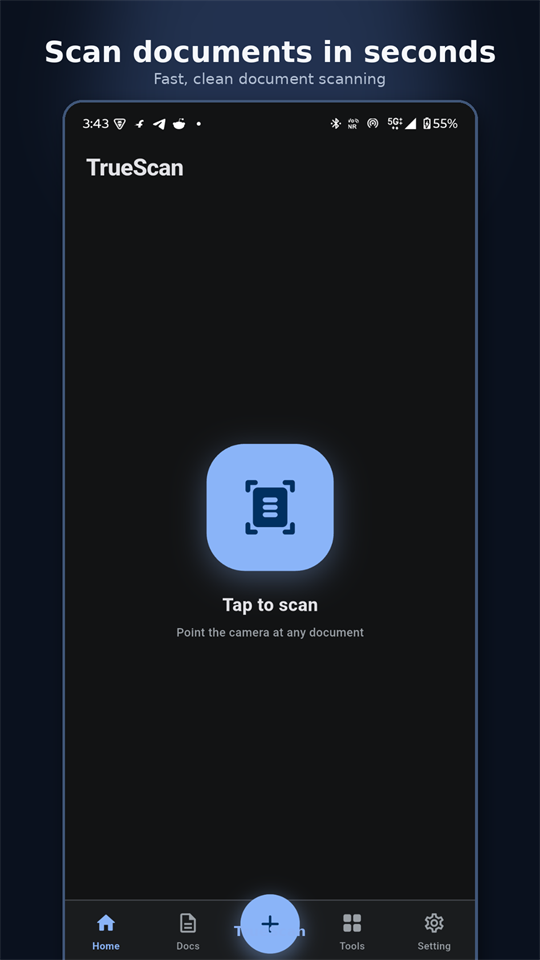
TrueScan is an Android app that scans paper documents into PDF files, recognises the text inside them on the device, and provides the follow-up tools people need most — merge, split, compress, convert, e-sign and organise. Documents live in the app's own library on your phone; the free version shows one banner ad in the Files screen, and an optional Remove Ads subscription hides it.
TrueScan covers the whole path from a sheet of paper to a finished file: capture with automatic edge detection, clean up pages, recognise text, then merge, compress, convert or sign. Every step runs locally, and the original file is kept when a tool produces a new one.
Point the camera at a page and TrueScan detects the edges, crops and straightens it, then builds a multi-page PDF you can reorder before saving.
Extract editable text from a scan in Latin, Devanagari, Chinese, Japanese and Korean scripts. Recognition runs with Google ML Kit on the phone — page images are never sent anywhere.
Merge, split, organise, rotate, extract or delete pages, add a text watermark, and compress a PDF into a smaller copy while the full-quality original stays untouched.
Convert, batch convert, resize, crop, rotate, rename and compress images — and strip EXIF location, camera and timestamp data before you share a photo.
Draw and save a signature, then place and resize it on any page. Remove a stamp from one page or from every page when it lands in the wrong place.
Every scan lands in one library with instant search, favourites, type filters and sorting, plus an OCR marker on the documents that already have recognised text.
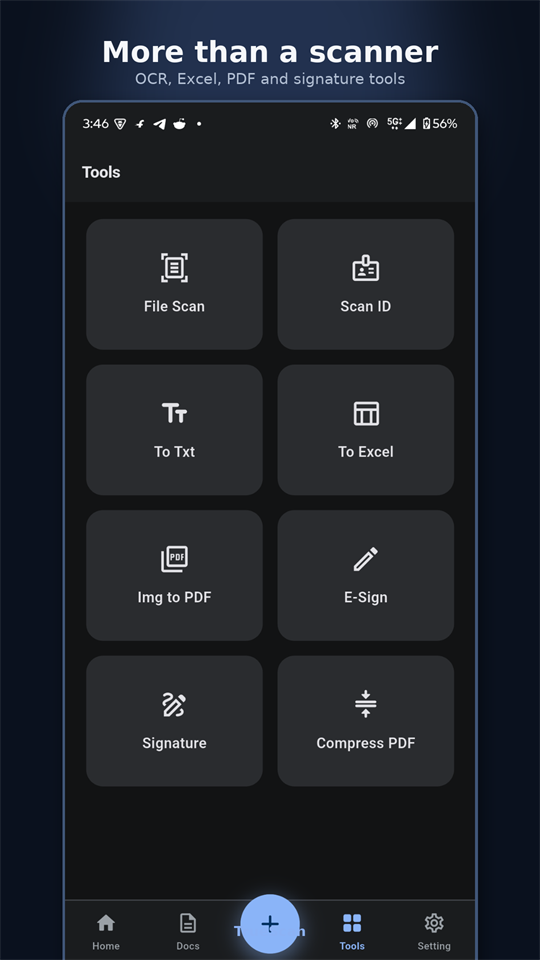
TrueScan ships 25 tools across five groups. Nothing here is a paid upgrade: every tool is available in the free app.
Scanning a page takes about three taps. TrueScan handles cropping and straightening automatically, and you can fix a single page without rescanning the whole document.
Every file operation happens on the device. TrueScan has no document upload path at all, so there is nothing to opt out of and nothing to delete from a server.
| Task | How TrueScan handles it | Where it runs |
|---|---|---|
| Camera scan | Edge detection, crop and page assembly | On device |
| Text recognition (OCR) | Google ML Kit text recognition, Latin / Devanagari / Chinese / Japanese / Korean | On device |
| PDF tools | Merge, split, pages, rotate, watermark, compress | On device |
| Image tools | Convert, resize, crop, rotate, EXIF metadata removal | On device |
| Signing | Signature capture, placement and removal | On device |
| Account | Optional Google sign-in for account settings only | Firebase Authentication |
| Banner ad | One AdMob banner inside the Files list, just below the first document; no full-screen ads. An optional Remove Ads subscription hides it | Google AdMob |
Read the full details in the privacy policy.
Yes. TrueScan is free to download and every tool is unlocked. It is supported by one banner ad inside the Files list. An optional Remove Ads subscription, billed monthly or yearly by Google Play, hides that banner. No feature is paywalled and no account is needed to scan.
No. Scanning, text recognition, PDF creation, compression and signing all run on your device, and scans are stored in the app's private storage. Nothing is uploaded. An optional Google sign-in is used only for your account, never for your documents.
Yes. Sign-in is optional. You can scan, edit, OCR and export PDFs without an account; signing in only adds a profile and cloud identity for your account settings.
Yes. The camera scanner, text recognition and every PDF and image tool work with no network connection, because the processing happens on the device rather than on a server. Only the banner ad needs a connection.
TrueScan recognises Latin, Devanagari, Chinese, Japanese and Korean scripts using on-device text recognition. Pick your language in Settings; if the chosen script finds no text, TrueScan falls back to Latin and Devanagari before returning an empty result.
No. Exports are never watermarked. You can add a watermark yourself with the Watermark tool, but TrueScan does not stamp its own branding onto your documents, and compressing a PDF creates a new copy instead of overwriting the original.
An imported PDF is rasterised at 150 dpi so text recognition stays accurate. Imports are capped at 200 pages and 128 MB; if a document is longer than 200 pages, TrueScan imports the first 200 and tells you it was truncated.
Open the document, choose the signature action and remove the stamp from the page you are on, or from every page in the document. Both scopes are available in the same place, so a contract signed on the wrong page does not need to be rescanned.
Open the Compress PDF tool, choose the document and run it. TrueScan downsamples the page images and writes a new compressed file next to the original, so the full-quality PDF is kept and nothing is lost.
TrueScan is an Android app, available on Google Play for Android 7.0 and later. There is no iOS version at this time.
Free on Google Play for Android 7.0 and later. Scan a page in under a minute — no account, no upload.